Getting Started with Hugo: from installing to first post
Hugo Tutorial#
Summary#
Creating a static website that you can host for free on platforms like GitHub might look simple, by dealing with styling and HTML part can make it boring. Tools like Wordpress might help but I personally decided to use something designed for this purpose like Hugo. In this tutorial, I’ll go over my experiece getting started with Hugo and how to use it. In fact, this exact post is made using Hugo. The purpose is to write website in markdown language which is simpler than HTML and Hugo will put it in the installed template and serve it.
Steps#
- Install
- Initiate your website
- Install Theme
- Configure Hugo & Theme
- Publish first post
Installing Hugo#
There are three options to install Hugo: standard, extended and extended+deploy. I’m not going over them as we just install the best one, extended+deploy! as it has the capability to automate the build and publis, this feature will enable us to just push the changes to GitHub and by settuping the GitHub actions it will create and output and update the website. so the whole prupose and using this version is the automation.
I’m using Ubuntu and the binary release is available on hugo release v0.152.2, because we will go with extended+deploy version, we’ll download the following package: hugo_extended_withdeploy_0.152.2_linux-amd64.deb.
Then install the downloaded package using the following command:
~$ sudo dpkg -i hugo_extended_0.152.1_linux-amd64.deb
After installation, verify Hugo by running:
~$ hugo version
hugo v0.152.1-5869cbddd88590563c2b7b400e804ccc7d2cb697+extended+withdeploy linux/amd64 BuildDate=2025-10-22T19:10:44Z VendorInfo=gohugoio
Initiating your first website#
We create a new website by hugo new site website-name command as following:
~$ hugo new site mysite
Congratulations! Your new Hugo site was created in /home/masoud/Desktop/wsp/mysite.

Just a few more steps...

1. Change the current directory to /home/masoud/Desktop/wsp/mysite.
2. Create or install a theme:
   - Create a new theme with the command "hugo new theme <THEMENAME>"
   - Or, install a theme from https://themes.gohugo.io/
3. Edit hugo.toml, setting the "theme" property to the theme name.
4. Create new content with the command "hugo new content <SECTIONNAME>/<FILENAME>.<FORMAT>".
5. Start the embedded web server with the command "hugo server --buildDrafts".

See documentation at https://gohugo.io/.
This cretes the following structure:
mysite
├── archetypes
│   └── default.md
├── assets
├── content
├── data
├── themes
├── i18n
├── layouts
├── static
└── hugo.toml
Installing Theme and run first website#
We’ll install a theme by downloading it and place the theme in themes directory. I choose hugo-theme-terminal as an example.
~mysite/themes$ git clone https://github.com/panr/hugo-theme-terminal.git
Cloning into 'hugo-theme-terminal'...
remote: Enumerating objects: 3323, done.
remote: Counting objects: 100% (7/7), done.
remote: Compressing objects: 100% (5/5), done.
remote: Total 3323 (delta 4), reused 2 (delta 2), pack-reused 3316 (from 2)
Receiving objects: 100% (3323/3323), 4.69 MiB | 1.40 MiB/s, done.
Resolving deltas: 100% (1841/1841), done.
Then add the theme to the configutation in hugo.toml:
~mysite$ echo "theme = 'hugo-theme-terminal'" >> hugo.toml
~mysite$ cat hugo.toml
baseURL = 'https://example.org/'
languageCode = 'en-us'
title = 'My New Hugo Site'
theme = 'hugo-theme-terminal'
Now serve the website:
~mysite$ hugo server
Watching for changes in ~~/mysite/{archetypes,assets,content,data,i18n,layouts,static,themes}
Watching for config changes in ~/mysite/hugo.toml, ~/mysite/themes/hugo-theme-terminal/config.toml
Start building sites …
hugo v0.152.1-5869cbddd88590563c2b7b400e804ccc7d2cb697+extended+withdeploy linux/amd64 BuildDate=2025-10-22T19:10:44Z VendorInfo=gohugoio


                  │ EN
──────────────────┼────
 Pages            │  8
 Paginator pages  │  0
 Non-page files   │  0
 Static files     │  5
 Processed images │  0
 Aliases          │  1
 Cleaned          │  0

Built in 15 ms
Environment: "development"
Serving pages from disk
Running in Fast Render Mode. For full rebuilds on change: hugo server --disableFastRender
Web Server is available at http://localhost:1313/ (bind address 127.0.0.1)
Press Ctrl+C to stop
Visit the website by going to http://localhost:1313/:
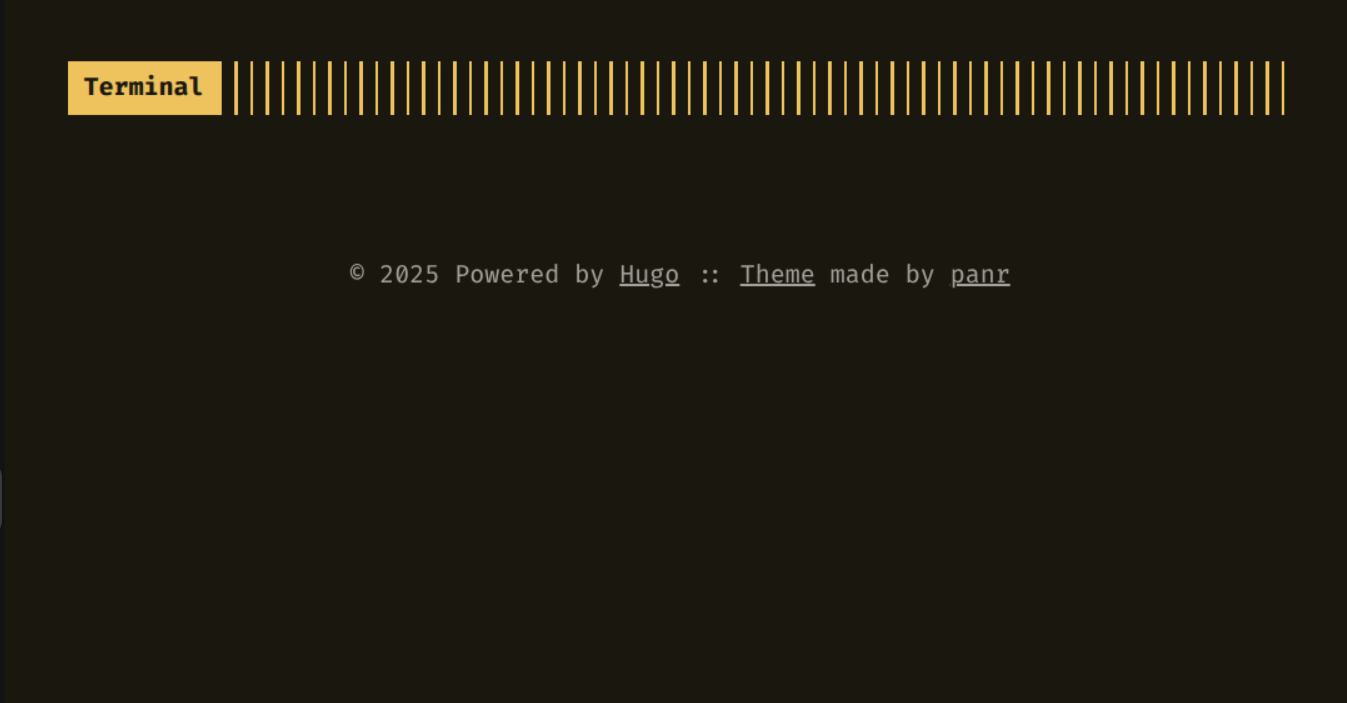
Each installed theme has customiseable parameters which can be defined in hugo.toml. for this purpose we can just copy and paste the recommended configuration by the template provider. for example for this template we have the following configuration which each parameter can be studied and customized
full default configuration
baseurl = "/"
languageCode = "en-us"
# Add it only if you keep the theme in the `themes` directory.
# Remove it if you use the theme as a remote Hugo Module.
theme = "terminal"
pagination.pagerSize = 5

# Required for Chroma and the custom syntax highlighting.
[markup.highlight]
  noClasses = false

[params]
  # dir name of your main content (default is `content/posts`).
  # the list of set content will show up on your index page (baseurl).
  contentTypeName = "posts"

  # if you set this to 0, only submenu trigger will be visible
  showMenuItems = 2

  # show selector to switch language
  showLanguageSelector = false

  # set theme to full screen width
  fullWidthTheme = false

  # center theme with default width
  centerTheme = false

  # if your resource directory contains an image called `cover.(jpg|png|webp)`,
  # then the file will be used as a cover automatically.
  # With this option you don't have to put the `cover` param in a front-matter.
  autoCover = true

  # set post to show the last updated
  # If you use git, you can set `enableGitInfo` to `true` and then post will automatically get the last updated
  showLastUpdated = false

  # Provide a string as a prefix for the last update date. By default, it looks like this: 2020-xx-xx [Updated: 2020-xx-xx] :: Author
  # updatedDatePrefix = "Updated"

  # whether to show a page's estimated reading time
  # readingTime = false # default

  # whether to show a table of contents
  # can be overridden in a page's front-matter
  # Toc = false # default

  # set title for the table of contents
  # can be overridden in a page's front-matter
  # TocTitle = "Table of Contents" # default

  # Set date/time format for posts
  # This will impact the date/time displayed on
  # index.html, the posts list page, and on posts themselves
  # This value can also be configured per-post on front matter
  # If you have any issues with the timezone rendering differently
  # than you expected, please ensure your timezone is correctly set
  # on your server.
  # This value can be customized according to Hugo documentation:
  # https://gohugo.io/functions/time/format/
  # Default value (no changes needed):
  # dateFormat = "2006-01-02"
  # Example format, with date, time, and timezone abbreviation:
  # dateFormat = "2006-01-02 3:04:06 PM MST"


[params.twitter]
  # set Twitter handles for Twitter cards
  # see https://developer.twitter.com/en/docs/tweets/optimize-with-cards/guides/getting-started#card-and-content-attribution
  # do not include @
  creator = ""
  site = ""

[languages]
  [languages.en]
    languageName = "English"
    title = "Terminal"

    [languages.en.params]
      subtitle = "A simple, retro theme for Hugo"
      owner = ""
      keywords = ""
      copyright = ""
      menuMore = "Show more"
      readMore = "Read more"
      readOtherPosts = "Read other posts"
      newerPosts = "Newer posts"
      olderPosts = "Older posts"
      missingContentMessage = "Page not found..."
      missingBackButtonLabel = "Back to home page"
      minuteReadingTime = "min read"
      words = "words"

      [languages.en.params.logo]
        logoText = "Terminal"
        logoHomeLink = "/"

      [languages.en.menu]
        [[languages.en.menu.main]]
          identifier = "about"
          name = "About"
          url = "/about"
        [[languages.en.menu.main]]
          identifier = "showcase"
          name = "Showcase"
          url = "/showcase"

[module]
  # In case you would like to make changes to the theme and keep it locally in you repository,
  # uncomment the line below (and correct the local path if necessary).
  # --
  # replacements = "github.com/panr/hugo-theme-terminal/v4 -> themes/terminal"
[[module.imports]]
  path = 'github.com/panr/hugo-theme-terminal/v4'
customizing the setting#
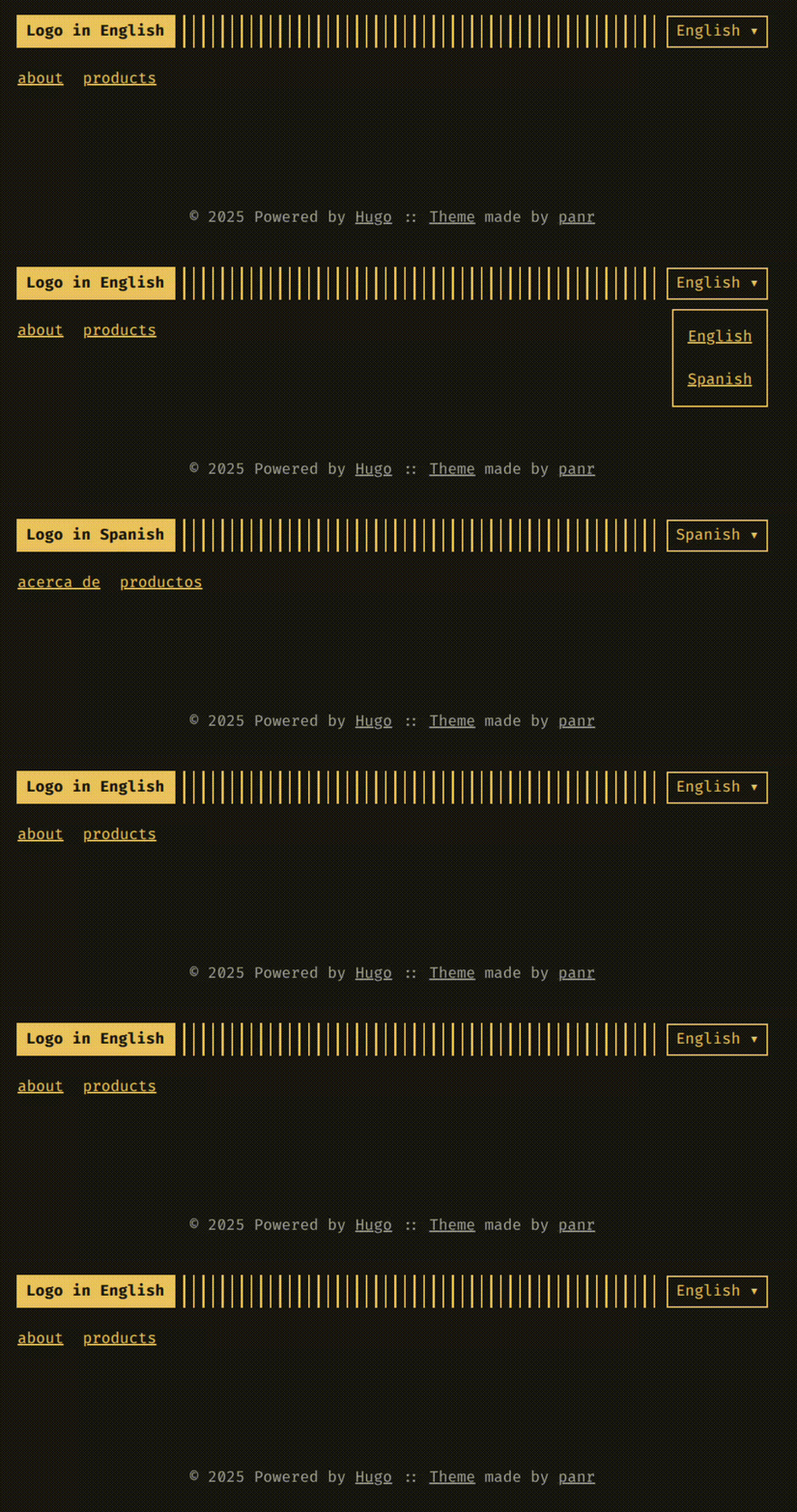
If considering that we want to add menu options in the top of this specific theme, we only need to customize the setting in hugo.toml. Lets say we want to add English & Spanish in languages and Products & About in the top menu.
We can simply do this by following:
[params]                                               # parameters that will ba passed to theme
  contentTypeName = "posts"                            # content with this tag to put in main page
  showMenuItems = 2
  showLanguageSelector = true

[languages]                                            # we define language based setting
  [languages.en]                                       # English setting
    languageName = "English"
    title = "Terminal English"

    [languages.en.params]
      copyright = "CopyRight in English"              # the CopyRight shown in website footer

      [languages.en.params.logo]
        logoText = "Logo in English"                   # Logo in top
        logoHomeLink = "/"

      [languages.en.menu]                              # menu options
        [[languages.en.menu.main]]
          identifier = "products"
          name = "products"
          url = "/products"
        [[languages.en.menu.main]]
          identifier = "about"
          name = "about"
          url = "/about"

  [languages.sp]                                       # Spanish setting
    languageName = "Spanish"
    title = "Terminal Spanish"

    [languages.sp.params]
      copyright = "Copy right in Spanish"

      [languages.sp.params.logo]
        logoText = "Logo in Spanish"
        logoHomeLink = "/"

      [languages.sp.menu]
        [[languages.sp.menu.main]]
          identifier = "productos"
          name = "productos"
          url = "/productos"
        [[languages.sp.menu.main]]
          identifier = "acerca de"
          name = "acerca de"
          url = "/acerca-de"
and the added menu options and languages will show up as following
Creating the content#
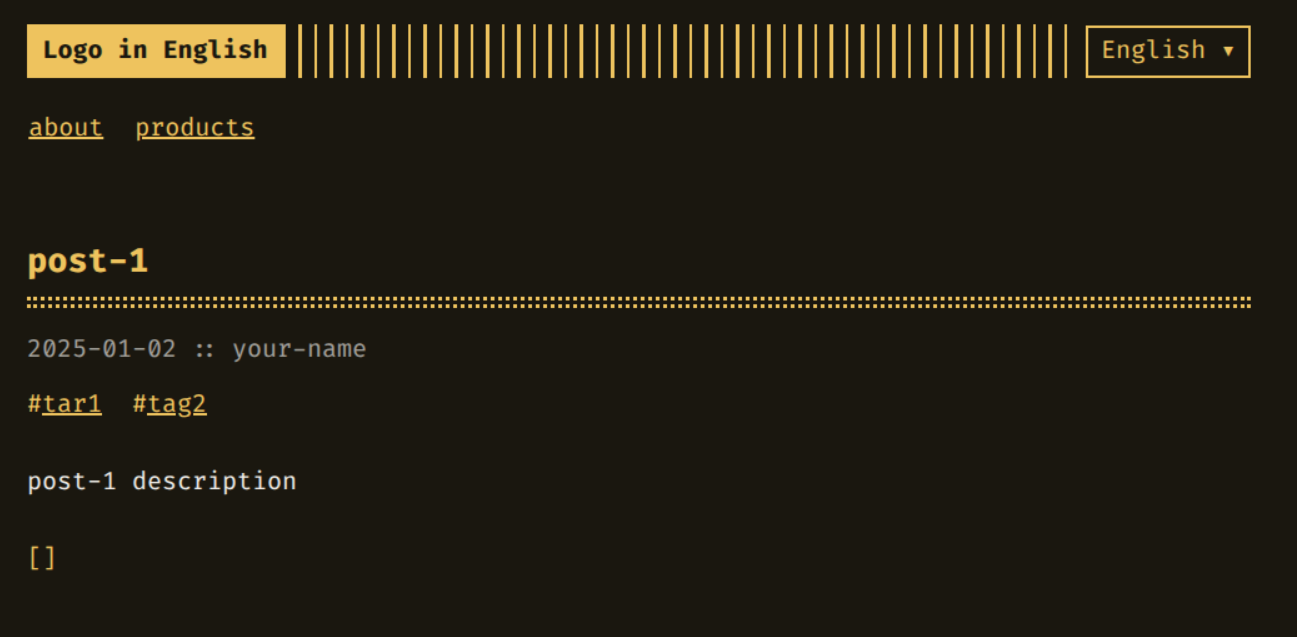
So far we have done great and have a website with theme and menu options. now it is time to write our contents in it. For this purpose we just need to add posts in content directory. We access files in content files with a single URL and each folder just comes to the directory.
For example, consider we want to add about.md which will be in \about URL and posts in posts dictory as post-1.md and post-2.md consequently.
content/
├── about.md
└── posts
    ├── post-1.md
    └── post-2.md
about.md
---
title: "about"
date: 2025-01-02
draft: false
author: "your-name"
description: "add your decription in here"
---

write your About in HERE
post-1.md
---
title: "post-1"
date: 2025-01-02
draft: false
author: "your-name"
description: "post-1 description"
slug: "post-1-slurg"
keywords: ["key1", "key2"]
tags: ["tar1", "tag2"]
categories: ["posts"]
---

# Post-1 content
Read More#
There is more setting that can be done in Hugo itself and settings that are relatives to the Theme itself, your can real more about this in Hugo configuration. The publication to GitHub and any other cloud platform is different so I leave it to you to google it, there is plenty of tutorial for it.